Why Apple’s New Genmoji Suggestions in iOS 27 Could Change How You Communicate
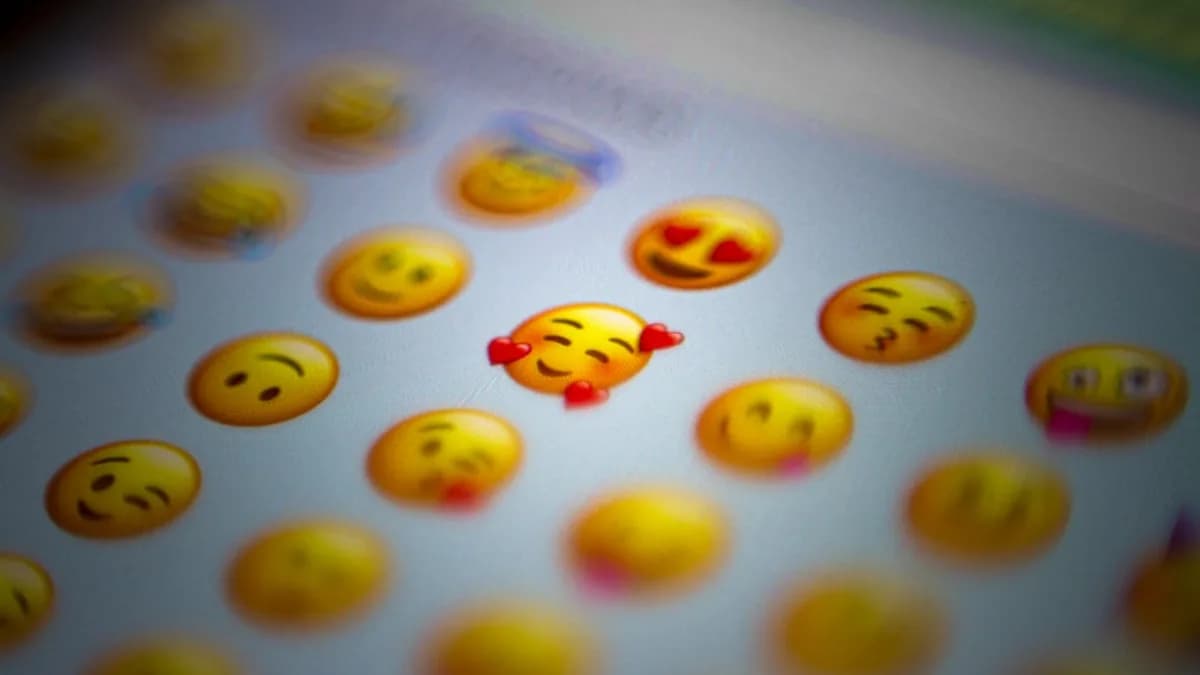
Apple is about to make your emoji game smarter—and far more personal. In iOS 27, Genmoji will start suggesting tailored emojis based on your own photos and how you type, according to 9to5Mac. This isn’t just another sticker pack. If you’ve ever scrolled through endless emoji menus trying to find the perfect reaction, Apple’s new move could kill that friction—and make digital conversations feel less canned.
Personal expression in messaging isn’t just a trend; it’s how people signal tone, personality, and nuance. Apple’s Genmoji, introduced as part of its Apple Intelligence initiative, already lets users generate custom emojis. With iOS 27, the experience gets predictive. The operating system will proactively surface Genmoji that match your context, whether you’re discussing last night’s dinner or your pet’s latest antic. The intent is clear: keep users inside Apple’s ecosystem, make messaging more addictive, and close the gap with AI-driven personalization that rivals what users experience in other platforms.
Apple’s focus on Genmoji now—while bigger-ticket AI features like a smarter Siri remain vaporware—signals where it thinks it can move the needle on engagement. It’s a bet that people care more about authentic, immediate expression than about a digital assistant that handles their calendar. Whether that gamble pays off will depend on execution and, crucially, user trust.
How Does Apple’s Genmoji Feature Work and What’s New in iOS 27?
Genmoji, as it exists in iOS 26, lets users generate custom emojis on demand, often using text prompts or themes. The current system is manual: you decide when and what to make, and you pick the visual style. It’s fun, but it requires intention and effort. The leap in iOS 27 is automation and relevance—Genmoji will start actively suggesting new emojis for you, based not only on what you type but also on images in your photo library.
Here’s how it works: when you start composing a message or browsing your photo gallery, iOS 27 will analyze your recent keyboard entries and scan your photo roll. Spot a lot of dog pictures and type “walk in the park”? Genmoji might surface a custom emoji of your dog with a leash or a park background. The system’s AI parses cues from both your language and your images, looking for recurring themes or emotional triggers, to generate bespoke emoji candidates.
The technological engine under the hood likely involves on-device machine learning models trained to recognize objects, faces, and contextual signals in photos, as well as natural language processing for keyboard history. Apple hasn’t detailed the precise architecture, but the intent is to generate Genmoji that feel relevant and timely—no more generic smileys when you’re talking about a specific vacation or event.
What’s new is the interplay between your personal media and your messaging style. The feature doesn’t just react to keywords; it tries to anticipate what visual shorthand might capture the mood or subject of your conversation, drawing directly from your own life. This is personalization by design, not just personalization by choice.
What Are the Privacy and Security Implications of Using Photo and Keyboard Data for Genmoji Suggestions?
Apple’s reputation for privacy is both a moat and a minefield. Any time the company proposes using more of your personal data—even on-device—it’s bound to spark scrutiny. The new Genmoji suggestion engine will need access to your photo library and keyboard history to work as advertised. That’s a lot of sensitive material: images of friends, family, documents, and the full record of what you type.
Apple’s standard approach is to keep data processing on the device, minimizing what’s sent to the cloud. If Genmoji suggestions do all their analysis locally, the risk of data leaks remains low. Still, some users will worry about algorithmic scanning of their personal photos, even if the results never leave their iPhone.
There’s also the question of transparency and control. Will users get granular settings to decide which albums or message threads contribute to Genmoji’s training? Will there be an option to turn off photo-based suggestions entirely, or to review what the AI “sees”? Apple has not yet released specifics, and those details will make or break trust.
The company must balance offering smarter features with keeping its privacy-first branding intact. That means clear disclosures, opt-in toggles, and technical guarantees about data minimization—otherwise, the feature could backfire among privacy-sensitive customers.
How Will Automatic Genmoji Suggestions Enhance Everyday Messaging Experiences?
Imagine texting a friend about a birthday party. As you type, “Had a blast at your place last night!” your phone suggests a Genmoji of you both, drawn from a group photo snapped during the party. One tap, and the emoji appears in your message—no need to hunt for the perfect sticker or spend time editing an image.
That’s the pitch for Genmoji suggestions. They’re not just faster; they make digital back-and-forths feel more personal, less generic. If you’re a parent sharing updates with family, Genmoji could auto-surface emojis based on your kids’ latest photos. If you’re a group chat power user, you might get inside-joke icons that actually reference shared experiences rather than stock expressions.
This isn’t a trivial upgrade. For people who text dozens or hundreds of times a day, shaving seconds off each interaction adds up. The feature also lowers the barrier for users who might not otherwise create custom emojis—suggestions nudge them to try, turning a novelty into a habit.
Different users will see different benefits. Creatives and teens might embrace the hyper-personalization, while professionals could use Genmoji to signal tone in work chats without crossing into informality. The key: making the suggestions smart enough to avoid cringe moments or mismatched reactions.
What Challenges Could Apple Face in Implementing and Expanding Genmoji Suggestions?
The technical challenge is accuracy. If Genmoji suggests a pizza emoji after you type about a funeral, the mood mismatch could be jarring—or worse, offensive. Apple’s AI must be sharp enough to understand not just content but context and emotional tone.
There’s also the adoption hurdle. Some users will embrace hyper-personalized emojis; others will see them as unnecessary or intrusive. If the suggestions feel off, users will disengage—or turn the feature off entirely. Apple will need to strike a balance between helpfulness and overreach, especially as it moves beyond the novelty phase.
Looking forward, Apple could expand Genmoji’s capabilities: supporting more types of media, integrating with other apps, or using richer behavioral data to refine suggestions. But every step deeper into personal data raises new privacy and UX risks. The company will need to iterate cautiously, especially if it aims to export Genmoji’s magic to platforms beyond iOS.
What We Know, What’s Unclear, and What to Watch
What’s clear: iOS 27 is set to offer Genmoji suggestions based on both your photos and typing history, making emoji use more intuitive and personalized than ever, as 9to5Mac reports. The feature is designed to surface relevant, context-aware custom emojis—no manual hunting required.
Still unclear: Apple hasn’t detailed exactly how on-device analysis will work, what controls users will have over their data, or how accurate and nuanced the suggestions will be. The privacy model and opt-out options remain to be seen, and the real-world usefulness will depend on how well Genmoji handles nuance and context.
What to watch: Will Apple ship the feature as part of a broader “Apple Intelligence” rollout at WWDC 2025? How will early users respond to the privacy trade-offs? Will Genmoji suggestions become a sticky feature—or a novelty that fades?
The next version of iOS could redraw the lines of digital self-expression. If Apple nails the balance between smart suggestions and user control, Genmoji could become a messaging staple. If not, it risks becoming another clever feature abandoned in the settings menu.
Why It Matters
- Apple is using AI to make messaging more personal and effortless for users.
- The new Genmoji suggestions could increase user engagement and keep people within Apple's ecosystem.
- This move highlights Apple's focus on authentic digital expression over other AI features for now.