Updated (2026): This article has been refreshed to remove outdated references to non-standard “agentic workflow” formats, update runtime examples, and add current best practices around permissions, OpenID Connect (OIDC), caching, artifact handling, and AI-assisted workflow authoring.
Introduction to GitHub Actions and Workflow Automation
GitHub Actions is GitHub’s native automation platform for building, testing, securing, and deploying software directly from a repository. Workflows are defined as YAML files in .github/workflows/ and are triggered by events such as pushes, pull requests, releases, manual dispatches, schedules, and more.
GitHub Actions remains a core part of modern DevOps because it connects source control, CI/CD, security checks, package publishing, and deployment automation in one place. Teams can use GitHub-hosted runners for convenience or self-hosted runners for custom hardware, private networks, compliance requirements, or specialized build environments.
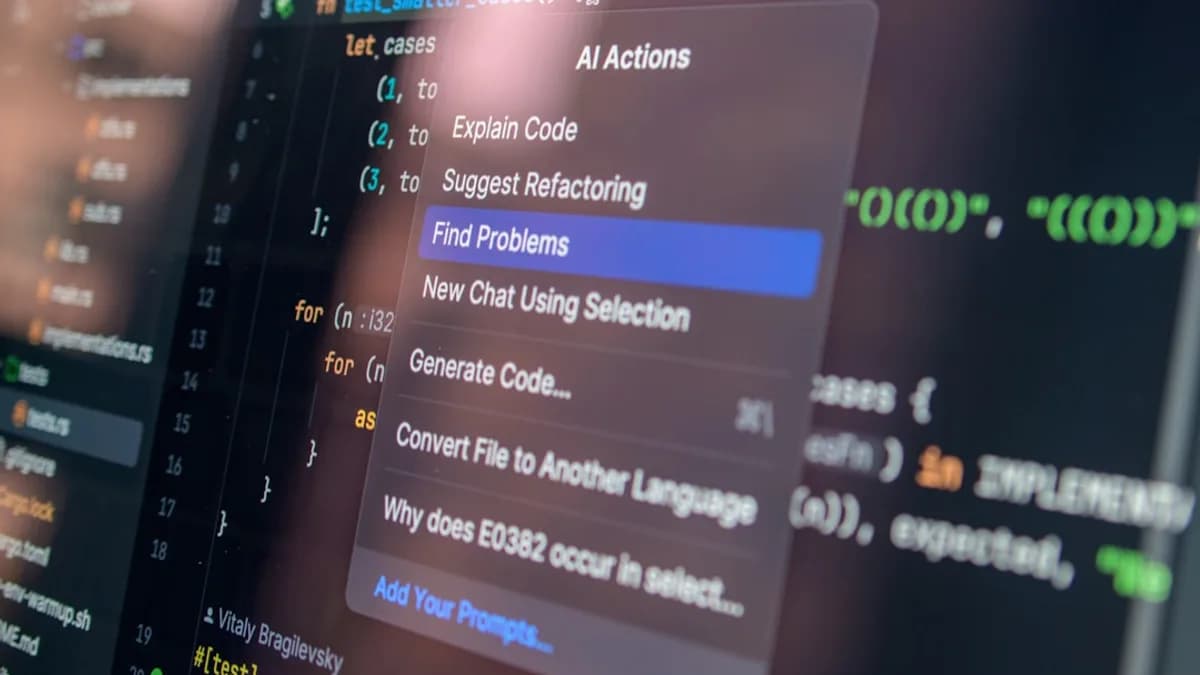
AI is also changing how developers use GitHub Actions. Tools such as GitHub Copilot can help generate, explain, and troubleshoot workflow YAML, but production workflows still run as explicit, reviewable workflow files. In practice, AI is best treated as an assistant for authoring and debugging—not as a replacement for secure, version-controlled automation.
Benefits of Automating Developer Workflows
Automating developer workflows with GitHub Actions delivers major advantages:
- Increased productivity: Automate repetitive tasks such as tests, linting, security scans, release notes, package publishing, and deployments.
- Faster feedback loops: Run checks on every pull request so bugs and regressions are caught before merge.
- Consistency: Codify build, test, and release processes so they run the same way across branches and contributors.
- Scalability: Use matrix builds to test multiple operating systems, language versions, and configurations in parallel.
- Security: Apply least-privilege permissions, protected environments, secret management, OIDC-based cloud authentication, and dependency scanning.
- Better collaboration: Make CI/CD status visible in pull requests, branch protection rules, dashboards, and README badges.
GitHub Actions is now used for far more than CI/CD: teams automate repository maintenance, dependency updates, infrastructure validation, documentation builds, release workflows, and security enforcement.
Understanding GitHub Actions Components: Workflows, Jobs, Steps
Before building your first workflow, it helps to understand the core concepts:
| Term | Description |
|---|---|
| Workflow | An automated process defined in a YAML file inside .github/workflows/. |
| Event | The trigger that starts a workflow, such as push, pull_request, workflow_dispatch, or schedule. |
| Job | A group of steps that runs on the same runner. Jobs can run in parallel or depend on other jobs. |
| Step | An individual command or action within a job. |
| Action | A reusable automation unit, such as actions/checkout, a Docker action, JavaScript action, or composite action. |
| Runner | The machine that executes the job, either GitHub-hosted or self-hosted. |
Traditional Workflows and AI-Assisted Authoring
GitHub Actions workflows are still authored in YAML. However, AI tools can help developers:
- Draft workflow files from natural language prompts
- Explain failing logs
- Suggest fixes for syntax or dependency issues
- Generate matrix strategies
- Recommend caching or permissions improvements
For reliability and security, teams should review AI-generated workflow code like any other code change.
Setting Up Your First GitHub Action Workflow
Creating a workflow requires a repository with Actions enabled and permission to commit workflow files.
Prerequisites
- A GitHub repository with write access
- GitHub Actions enabled in repository or organization settings
- Optional: GitHub CLI (
gh) for managing workflow runs and secrets
Step-by-Step: Basic Node.js CI Workflow
- Create a file at
.github/workflows/ci.yml. - Add the following workflow:
name: CI

on:
  push:
    branches: [main]
  pull_request:

permissions:
  contents: read

jobs:
  test:
    runs-on: ubuntu-latest

    steps:
      - uses: actions/checkout@v4

      - name: Set up Node.js
        uses: actions/setup-node@v4
        with:
          node-version: 22
          cache: npm

      - name: Install dependencies
        run: npm ci

      - name: Run tests
        run: npm test
- Commit and push the file. The workflow will run automatically on pushes to
mainand on pull requests.
This example uses npm ci for reproducible installs and grants only read access to repository contents.
Automating Code Testing and Linting with GitHub Actions
Automated quality checks are one of the most common GitHub Actions use cases.
Example: Running Tests
jobs:
  test:
    runs-on: ubuntu-latest
    permissions:
      contents: read

    steps:
      - uses: actions/checkout@v4
      - uses: actions/setup-node@v4
        with:
          node-version: 22
          cache: npm
      - run: npm ci
      - run: npm test
Example: Linting
For JavaScript or TypeScript projects, you can run your project’s configured linter:
jobs:
  lint:
    runs-on: ubuntu-latest
    permissions:
      contents: read

    steps:
      - uses: actions/checkout@v4
      - uses: actions/setup-node@v4
        with:
          node-version: 22
          cache: npm
      - run: npm ci
      - run: npm run lint
For multi-language repositories, tools such as GitHub Super-Linter can help, but always check the current Marketplace listing and pin a supported version.
Continuous Integration and Deployment Pipelines Explained
Continuous Integration (CI) automatically builds and tests code whenever changes are proposed. Continuous Deployment (CD) deploys code after required checks pass, often using protected environments and manual approvals for production.
Example CI/CD Workflow
name: CI/CD Pipeline

on:
  push:
    branches: [main]

permissions:
  contents: read

jobs:
  build:
    runs-on: ubuntu-latest
    steps:
      - uses: actions/checkout@v4
      - run: npm ci
      - run: npm run build

  test:
    runs-on: ubuntu-latest
    needs: build
    steps:
      - uses: actions/checkout@v4
      - run: npm ci
      - run: npm test

  deploy:
    runs-on: ubuntu-latest
    needs: test
    environment: production
    permissions:
      contents: read
      id-token: write
    steps:
      - uses: actions/checkout@v4
      - name: Deploy
        run: ./deploy.sh
For cloud deployments, prefer OIDC federation over long-lived cloud credentials. OIDC allows GitHub Actions to request short-lived credentials from cloud providers such as AWS, Azure, and Google Cloud when a workflow is authorized to deploy.
Supported Environments
- GitHub-hosted runners: Linux, Windows, and macOS.
- Larger or specialized runners: Available depending on plan and region, including more CPU, memory, and sometimes specialized architectures.
- Self-hosted runners: Useful for private networks, custom tooling, compliance needs, or hardware-specific workloads.
- Container jobs: Run jobs inside containers for consistent build environments.
Using Marketplace Actions to Extend Functionality
The GitHub Actions Marketplace offers reusable actions for common tasks:
- Deploying to cloud providers
- Publishing packages to npm, PyPI, Maven, Docker registries, and GitHub Packages
- Uploading artifacts
- Sending Slack or Teams notifications
- Running security scans
- Managing releases and changelogs
Example: Uploading an Artifact
steps:
  - uses: actions/checkout@v4

  - name: Build
    run: npm run build

  - name: Upload build artifact
    uses: actions/upload-artifact@v4
    with:
      name: build
      path: ./dist
When using third-party actions, review the source, check maintenance history, and pin to a version tag or commit SHA for stronger supply-chain security.
Best Practices for Writing Efficient Workflows
To keep workflows reliable, secure, and maintainable:
- Use least-privilege permissions: Set
permissions:explicitly at the workflow or job level. - Prefer OIDC for cloud deploys: Avoid storing long-lived cloud keys as secrets when federation is available.
- Pin actions: Use version tags for official actions and consider commit SHA pinning for third-party actions.
- Use
npm ci, lockfiles, and caches: Keep builds reproducible and fast. - Split workflows logically: Separate CI, release, deployment, and maintenance workflows when appropriate.
- Use environments: Protect production deployments with required reviewers and environment secrets.
- Avoid running untrusted code with privileged tokens: Be careful with workflows triggered from forks.
- Cancel stale runs: Use
concurrencyto prevent outdated deployments or duplicate CI runs. - Keep workflows readable: Name jobs and steps clearly so failures are easy to diagnose.
Example concurrency setting:
concurrency:
  group: ci-${{ github.ref }}
  cancel-in-progress: true
Debugging and Monitoring GitHub Actions Workflows
GitHub Actions includes several tools for troubleshooting:
Live Logs and Job Output
Workflow logs stream in real time and can be expanded step by step. You can also re-run failed jobs from the Actions tab.
Status Badges
Add a workflow badge to your README:

Debug Logging
For deeper troubleshooting, enable debug logging through repository secrets or variables:
ACTIONS_STEP_DEBUGACTIONS_RUNNER_DEBUG
Use these carefully, especially in workflows that handle secrets.
Approving Workflow Runs
For security, workflows from first-time contributors or external forks may require approval before they run. This helps protect repositories from malicious pull requests attempting to access tokens or secrets.
Advanced Tips: Matrix Builds, Secrets Management, and Caching
Matrix Builds
Use matrix builds to test across multiple versions or environments:
jobs:
  test:
    runs-on: ubuntu-latest

    strategy:
      fail-fast: false
      matrix:
        node-version: [20, 22]

    steps:
      - uses: actions/checkout@v4
      - uses: actions/setup-node@v4
        with:
          node-version: ${{ matrix.node-version }}
          cache: npm
      - run: npm ci
      - run: npm test
Secrets Management
Store sensitive values in GitHub secrets or environment secrets and reference them as ${{ secrets.MY_SECRET }}. Do not print secrets to logs, and avoid passing secrets to untrusted scripts.
Caching Dependencies
Many setup actions now include built-in caching. For custom caches, use actions/cache@v4:
- uses: actions/cache@v4
  with:
    path: ~/.npm
    key: ${{ runner.os }}-npm-${{ hashFiles('**/package-lock.json') }}
    restore-keys: |
      ${{ runner.os }}-npm-
Multi-Container Testing
For applications that need databases or services, use service containers:
services:
  postgres:
    image: postgres:16
    env:
      POSTGRES_PASSWORD: postgres
    ports:
      - 5432:5432
FAQ
Q1: Is GitHub Actions free?
A1: GitHub Actions is free for public repositories. Private repositories include a monthly allowance depending on account or organization plan, with additional usage billed according to GitHub’s current pricing.
Q2: What programming languages are supported?
A2: Any language that can run on Linux, Windows, macOS, a container, or a self-hosted runner is supported, including JavaScript, Python, Java, Go, Rust, PHP, Ruby, .NET, and more.
Q3: How do I secure secrets in workflows?
A3: Use GitHub secrets, environment protection rules, least-privilege permissions, and OIDC for cloud credentials whenever possible.
Q4: Can I run workflows on my own infrastructure?
A4: Yes. Self-hosted runners let you run jobs on your own machines, VMs, Kubernetes clusters, or private infrastructure.
Q5: Can AI create GitHub Actions workflows?
A5: AI tools can help draft and troubleshoot workflow YAML, but workflows should still be reviewed, committed, and secured like any other code.
Q6: How can I debug failing workflows?
A6: Review logs in the Actions tab, re-run failed jobs, enable debug logging when needed, and check recent dependency, runner, or permission changes.
Bottom Line
GitHub Actions remains one of the most important workflow automation tools for software teams in 2026. From CI/CD and linting to release management, cloud deployments, and repository maintenance, it gives teams a flexible way to automate work directly inside GitHub.
The strongest implementations combine speed with security: explicit permissions, protected deployments, OIDC-based authentication, pinned actions, caching, and clear workflow structure. Used well, GitHub Actions helps teams ship faster while keeping automation visible, reviewable, and reliable.