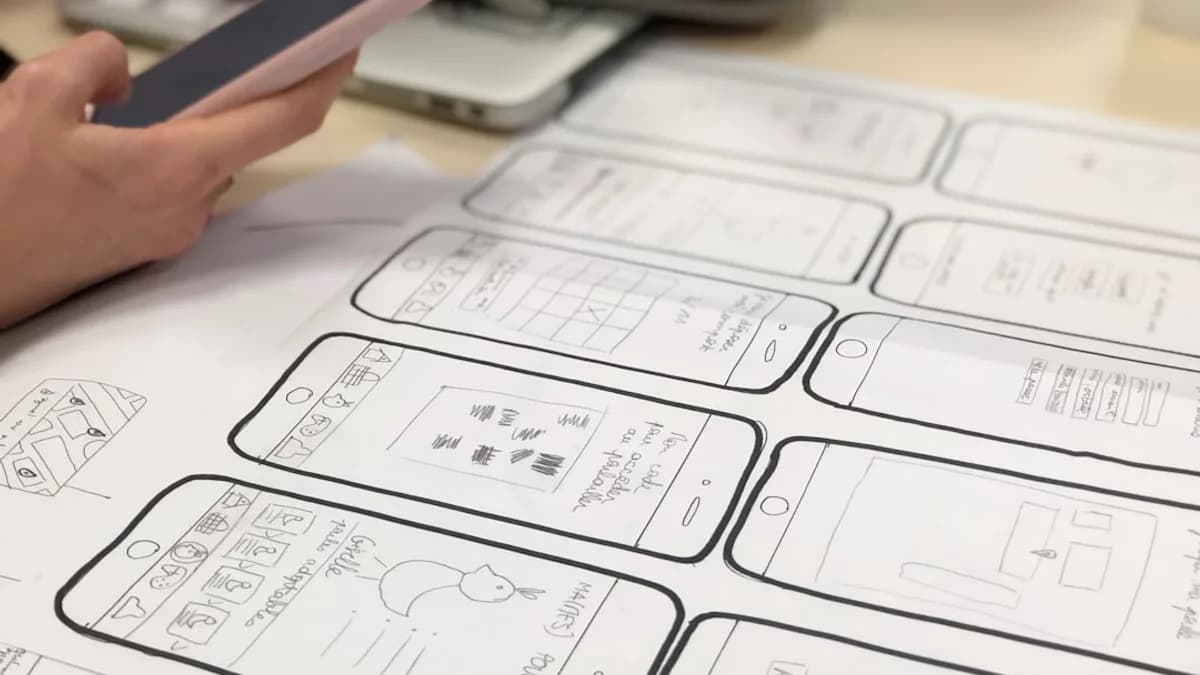
In the ever-evolving world of app creation, teams are constantly seeking lightweight mobile development tools for rapid prototyping. In 2026, the pressure to validate ideas swiftly and iterate on user feedback is greater than ever. Choosing the right prototyping platform can mean the difference between a stalled concept and a market-ready app. This guide explores the top seven tools that empower founders, designers, and developers to go from idea to interactive prototype in record time—without unnecessary bloat or steep learning curves.
Why Choose Lightweight Tools for Prototyping?
Lightweight mobile development tools are essential for rapid prototyping because they streamline the process of turning your ideas into interactive, testable apps. In today’s competitive environment, the ability to quickly validate concepts, gather feedback, and iterate is crucial for success.
“App prototyping tools are your best friends for validating ideas, testing user flows, and getting everyone on the same page.”
— RapidNative
Here’s why lightweight tools are favored:
- Speed to Market: Lightweight tools accelerate the development lifecycle, helping you present working prototypes to investors, stakeholders, or test users in hours—not weeks.
- Accessibility: Many platforms offer no-code or low-code solutions, enabling both technical and non-technical team members to contribute.
- Collaboration: Modern tools prioritize real-time teamwork, so designers, product managers, and developers can work together without version chaos.
- Cost-Effectiveness: With freemium models and affordable entry points, these tools minimize upfront costs and scale as your needs grow.
- Iterative Development: Rapid prototyping platforms support quick adjustments, empowering teams to refine user flows or UI elements based on immediate feedback.
- Cross-Platform Reach: Most leading tools support iOS and Android, often through a single codebase or exportable assets.
Criteria for Evaluating Prototyping Tools
Selecting the best lightweight mobile development tool for rapid prototyping means weighing several critical factors:
1. Ease of Use
- Intuitive Interface: Drag-and-drop builders and clear UI reduce the learning curve.
- No-Code/Low-Code: Enables business users and designers to prototype without deep programming knowledge.
2. Collaboration Features
- Real-Time Editing: Multiple team members can build and comment simultaneously.
- Version Control: Track changes and revert as needed.
3. Export and Handoff Capabilities
- Code Export: Some tools (like RapidNative) generate production-ready code.
- Developer Handoff: Design specs, assets, and documentation should be easy to share.
4. Platform Flexibility
- Cross-Platform Support: Ability to prototype for both Android and iOS.
- Responsive Layouts: Tools should allow easy adaptation for various screen sizes.
5. Pricing and Value
- Free Tiers: Useful for individuals or small teams.
- Scalable Pricing: As project or team size grows, the cost should remain manageable.
6. Integration and Extensibility
- API & Backend Integration: Ability to connect with live data or services.
- Design System Support: Shared libraries for consistent UI elements.
7. Prototype Fidelity
- Low-Fidelity: Quick wireframes for early-stage feedback.
- High-Fidelity: Interactive, realistic prototypes simulating real app behavior.
1. RapidNative: AI-Powered Prototypes With Production Code
RapidNative stands out for teams wanting to bypass static mockups and go straight to real, interactive mobile apps. Unlike most prototyping tools, RapidNative turns text prompts, sketches, or PRDs into actual working React Native apps—generating clean, exportable code.
| Feature | RapidNative |
|---|---|
| Code Export | Yes (React Native + Expo) |
| Collaboration | Live, real-time editor for designers, PMs, and developers |
| Preview on Device | QR code/link for instant testing on phones |
| Input Methods | Text prompts, sketches, images, PRDs |
| Pricing | Free tier; Starter $20/mo; Pro $49/mo; Enterprise custom |
| Lock-in | None—full code provided |
Ideal Use Cases:
- Founders & Startups: Build a “Tinder for dog walkers” prototype with swipeable cards in a single afternoon.
- Product Managers: Turn user stories into a tangible onboarding flow for leadership approval.
- Designers: Test actual user flows on real devices from day one.
- Engineers: Skip boilerplate—focus on business logic and APIs.
Pros:
- Generates production-ready code (not locked in)
- Real-time collaboration and instant device previews
- Supports multiple starting points (text, sketches)
Cons:
- Free/Starter plans have AI credit limits
- Advanced custom functionality requires developer extension
“It’s like having an AI junior developer that builds your UI instantly.”
— RapidNative
2. Figma: The Collaborative Standard for UI/UX Prototyping
Figma is the industry gold standard for browser-based design and prototyping, prized for its real-time collaboration and versatile prototyping features.
| Feature | Figma |
|---|---|
| Collaboration | Real-time, multiplayer editing |
| Prototype Fidelity | Low to high (smart animations, conditional logic) |
| Handoff | Developer mode with code snippets and specs |
| Design Systems | Shared component libraries |
| Pricing | Free plan; Paid from $15/user/month (annual billing) |
| Platform | Web-based (no install needed) |
Ideal Use Cases:
- Design Teams: Build and iterate on interactive flows for user testing.
- Cross-Functional Teams: Run live design sprints with instant feedback.
- Developers: Use Dev Mode to access specs for implementation.
Pros:
- Excellent free tier for individuals and small projects
- Seamless sharing and commenting
- Advanced prototyping with variables, conditions, and smart animations
Cons:
- No native code export (design-to-development handoff, not direct app generation)
- High-fidelity interactions require learning Figma’s prototyping features
“Its cost-to-feature ratio makes it one of the most cost-effective professional design tools available.”
— Tirapid
3. Marvel: Fast, Intuitive Prototyping for All Skill Levels
Marvel is known for simplicity and accessibility, making it a favorite for rapid idea validation without the steep learning curve.
| Feature | Marvel |
|---|---|
| Collaboration | Real-time, in-browser editing |
| Prototype Fidelity | Low to medium (hotspots, transitions) |
| Handoff | Shareable links, basic developer handoff |
| Integrations | User testing, advanced transitions on paid plans |
| Pricing | Free plan; Paid from $16/user/month (annual billing) |
| Platform | Web-based |
Ideal Use Cases:
- Startups: Quickly turn ideas into interactive demos for feedback.
- Non-Designers: Create wireframes and click-through prototypes with ease.
- Teams Needing Speed: When simplicity and collaboration trump custom complexity.
Pros:
- Very easy to learn—great for beginners and fast validation
- Affordable entry point for teams
- Real-time collaboration and simple sharing
Cons:
- Advanced interactions and integrations require paid plans
- Less suited for highly customized or complex app flows
4. UXPin: High-Fidelity Prototypes With Real Components
UXPin targets teams needing high-fidelity, realistic prototypes and smooth design-to-dev handoff.
| Feature | UXPin |
|---|---|
| Collaboration | Powerful real-time collaboration |
| Prototype Fidelity | High (conditional logic, variables, responsive layouts) |
| Handoff | Auto-generated CSS, style guides, documentation |
| Unique Feature | Merge: design with real, production-ready components |
| Pricing | Free plan; Paid from $6/user/month |
| Platform | Web-based |
Ideal Use Cases:
- Enterprises: Where accuracy and developer-ready specs are critical.
- Teams Requiring Logic: Simulate forms, data, and complex flows before coding.
- Design-Engineering Bridge: Use “Merge” to design with real code components.
Pros:
- Advanced logic and variables for realistic interactions
- Automated developer handoff
- Affordable pricing for advanced features
Cons:
- Steeper learning curve for advanced use
- Overkill for basic wireframes or simple click-through prototypes
5. Justinmind: Responsive, No-Code Prototyping With Liquid Layouts
Justinmind excels at no-code, responsive prototyping, letting teams create adaptive designs for multiple devices and orientations.
| Feature | Justinmind |
|---|---|
| Collaboration | Supports team workflows and sharing |
| Prototype Fidelity | Medium to high (conditional logic, smart templates) |
| Responsive Design | Liquid layouts, breakpoints |
| Handoff | Export to HTML, PNG, SVG |
| Pricing | Free trial; Paid from $9/user/month |
| Platform | Desktop/Web-based |
Ideal Use Cases:
- UX Teams: Simulate realistic product behaviors with variables and data.
- Responsive Design: Test across multiple screen sizes and orientations.
- Startups & Individuals: Unlimited prototypes in the free version.
Pros:
- Instantly preview and export prototypes
- Supports advanced interactions without coding
- Unlimited prototypes on the free tier
Cons:
- Some advanced features require paid plans
- Interface can be less modern compared to newer tools
6. Appsmith: Open-Source Low-Code for Internal Tools
Appsmith is a popular open-source platform designed for internal mobile apps, admin panels, and dashboards—great for in-house prototyping and operational tools.
| Feature | Appsmith |
|---|---|
| Collaboration | Supports team development and sharing |
| Prototype Fidelity | Medium (drag-and-drop UI, REST API integration) |
| Hosting Options | Cloud or self-hosted |
| Pricing | Free (community); Business $40/mo (100 hours); Enterprise custom |
| Platform | Web-based, open-source |
Ideal Use Cases:
- Developers & Citizen Developers: Build internal apps, dashboards, approval flows.
- Teams With API Needs: Easily connect to databases, SaaS, and REST APIs.
- Organizations Requiring Custom Hosting: Self-host for security or compliance.
Pros:
- Open-source, flexible deployment (self-host or cloud)
- Drag-and-drop interface, 18+ native integrations
- Free plan suitable for small teams or individuals
Cons:
- Focused on internal tools, not consumer-facing mobile apps
- Some advanced features require business/enterprise plan
7. Back4App: Backend-as-a-Service for Rapid Prototyping
Back4App provides an open-source, backend-as-a-service platform, enabling developers to quickly set up and scale backends for mobile prototypes.
| Feature | Back4App |
|---|---|
| Collaboration | Supports multi-user projects |
| Backend Features | Managed backend, API, hosting, scalable infrastructure |
| Pricing | Starter (free); Basic $25/mo; Standard $50/mo |
| Platform | Cloud-based, open-source |
Ideal Use Cases:
- Developers: Who want hassle-free, scalable backends for app prototypes.
- Teams Needing API Integration: Quickly connect frontends to managed backends.
- Startups: Validate app concepts without worrying about server maintenance.
Pros:
- Free tier for experimentation and small projects
- Easy backend management and integration
- Scalable as projects grow
Cons:
- Not a UI/UX prototyping tool—complements frontend tools
- Requires technical knowledge for optimal use
How to Select the Best Tool for Your Project
Choosing among lightweight mobile development tools for rapid prototyping in 2026 requires matching features and workflow to your project’s specific needs.
Step-by-Step Selection Checklist:
Define Your Prototype Goals
- Do you need a clickable demo, or a working app with real code?
- Are you targeting internal tools, consumer-facing apps, or proof-of-concept MVPs?
Evaluate Team Skills
- Is your team mostly designers, developers, or a mix?
- Will non-technical stakeholders collaborate or review?
Consider Platform and Export Needs
- Need cross-platform support (iOS/Android)?
- Require code export for engineering handoff?
Assess Collaboration Requirements
- Is real-time teamwork critical?
- Do you need live device previews?
Budget and Scalability
- What is your budget for prototyping tools?
- Will your needs grow rapidly?
Example Table: Tool Comparison Snapshot
| Tool | Best For | Code Export | Free Tier | Real-time Collab | Pricing From |
|---|---|---|---|---|---|
| RapidNative | Functional mobile MVPs | Yes | Yes | Yes | $20/user/mo |
| Figma | UI/UX design, testing | No | Yes | Yes | $15/user/mo |
| Marvel | Fast wireframes | No | Yes | Yes | $16/user/mo |
| UXPin | High-fidelity, logic | No | Yes | Yes | $6/user/mo |
| Justinmind | Responsive prototyping | No | Yes(trial) | Yes | $9/user/mo |
| Appsmith | Internal apps | No | Yes | Yes | $40/mo (business) |
| Back4App | Backend for apps | N/A | Yes | Yes | $25/mo |
FAQ: Lightweight Mobile Development Tools for Rapid Prototyping
Q1: What is the main benefit of using lightweight tools for mobile prototyping?
A: They enable teams to quickly transform ideas into interactive prototypes, collect feedback, and iterate—all while minimizing coding and setup time. (Source: RapidNative, Tirapid)
Q2: Which tool generates production-ready code for mobile apps?
A: RapidNative stands out for generating exportable, production-ready React Native + Expo code, so your engineering team can continue development without starting from scratch. (Source: RapidNative)
Q3: Which tool is best for real-time collaboration on design and prototyping?
A: Figma offers robust, browser-based real-time collaboration, allowing designers, PMs, and developers to work together seamlessly. (Source: Tirapid, RapidNative)
Q4: Are there free options for rapid mobile prototyping?
A: Yes. Tools like Figma, Marvel, UXPin, Appsmith, and RapidNative all offer free plans suitable for individuals or small teams. (Sources: Tirapid, RapidNative, Spaceotechnologies)
Q5: Which tool is best for backend rapid prototyping?
A: Back4App provides a managed backend-as-a-service, ideal for developers needing a quick, scalable backend for their app prototypes. (Source: Spaceotechnologies)
Q6: Can non-developers use these tools?
A: Absolutely. Many tools, such as Figma, Marvel, and Appsmith, are designed with no-code or low-code interfaces, making them accessible to non-developers. (Sources: Tirapid, Spaceotechnologies)
Bottom Line
Choosing the right lightweight mobile development tools for rapid prototyping in 2026 is about aligning your workflow, team skills, and project goals with the strengths of each platform. RapidNative excels for teams seeking real, testable mobile apps with production code; Figma remains the go-to for collaborative UI/UX prototyping; Marvel and Justinmind offer unmatched simplicity for fast idea validation; UXPin targets high-fidelity, logic-rich prototypes; Appsmith empowers internal tool creation with open-source flexibility; and Back4App rounds out the list with scalable backend solutions.
“Our goal is to help you find the perfect tool to go from a napkin sketch to a testable, interactive prototype that proves your vision and gets you the feedback you need.”
— RapidNative
Evaluate your needs, experiment with free tiers, and choose the tool that empowers your team to move from idea to interactive prototype—faster than ever before.