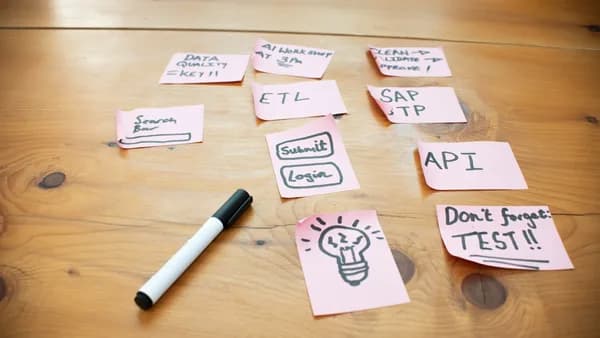
In the fast-paced world of modern software development, API automation workflow templates have become essential building blocks for developers aiming to streamline integrations, boost productivity, and minimize errors. As APIs connect disparate systems—be it CRMs, ERPs, marketing platforms, or custom business apps—using ready-made workflow templates empowers teams to orchestrate complex automation quickly and reliably. This article curates ten essential API automation workflow templates every developer should know, drawing from leading template libraries and real-world best practices.
Why Use Workflow Templates for API Automation
API automation workflow templates provide a reusable, scalable foundation for connecting software systems, handling data flows, and automating repetitive tasks. According to Wikipedia, APIs act as the “under the hood” interface connecting computers or programs, enabling systems to communicate across boundaries without exposing internal complexities. This abstraction is a key reason why workflow templates are so powerful.
Key Benefits of API Automation Workflow Templates
- Accelerated Integration: Templates eliminate the need to build automation from scratch, letting developers focus on critical business logic.
- Consistency and Reliability: Standardized workflows reduce human error and create repeatable processes, as highlighted in the n8n template library.
- Scalability and Adaptability: Templates act like software “Lego bricks,” as per Wikipedia, allowing developers to compose new solutions easily.
- Community and Support: Platforms like n8n offer access to thousands of community-contributed templates and guides.
“A well-designed API exposes only objects or actions needed by software or software developers. It hides details that have no use. This abstraction simplifies programming.”
— Wikipedia
With these benefits in mind, let’s explore ten API automation workflow templates that can dramatically improve development velocity and integration quality.
Template 1: Data Sync Between CRM and ERP
Keeping customer and transaction data synchronized across CRM (Customer Relationship Management) and ERP (Enterprise Resource Planning) systems is a classic challenge. API automation workflow templates for data sync streamline this process, reducing manual data entry and ensuring both platforms reflect the latest information.
Example Workflow Features
- Bi-directional Sync: Automates pulling new or updated records from the CRM and pushing them to the ERP, and vice versa.
- Error Handling: Logs and notifies on failed sync events.
- Field Mapping: Supports flexible mapping between differing data models.
How It Works
A typical workflow might look like:
# Pseudocode example: Sync new contacts from CRM to ERP
crm_contacts = api_get("https://crm.example.com/api/contacts?status=new")
for contact in crm_contacts:
    api_post("https://erp.example.com/api/customers", data=contact)
n8n and Meegle both offer templates for CRM-ERP data synchronization, which can be customized for specific platforms and fields (Meegle API templates).
Template 2: Automated Lead Enrichment Workflow
Sales and marketing teams rely on enriched lead data to drive conversions. Automated lead enrichment workflows fetch additional information from third-party APIs and update your central CRM or database.
Workflow Details
- Trigger: New lead captured in CRM or web form.
- API Calls: Query external data providers for company size, industry, social profiles, and more.
- Update: Write enriched data back to CRM.
Example Process
- Capture: Lead enters CRM.
- Enrich: Workflow calls enrichment APIs (e.g., Clearbit, if supported).
- Update: CRM record is updated with new fields.
n8n’s workflow library contains multiple enrichment templates, which can be adapted to your stack (n8n workflow examples).
Template 3: Multi-Channel Notification System
Modern businesses operate across email, chat, and mobile channels. A multi-channel notification API workflow template ensures important alerts reach users wherever they are.
Supported Channels (per n8n template library)
- Slack
- Telegram
- Email (Gmail, Outlook)
- SMS (if integrated APIs are available)
Workflow Logic
- Trigger: Event occurs (e.g., order placed, error detected).
- Branch: Send notification to selected channels using their APIs.
- Log: Record sent status for audit or retry.
| Channel | Supported by n8n Templates | Typical Use Case |
|---|---|---|
| Slack | Yes | Team alerts, dev notifications |
| Telegram | Yes | Customer messaging, ops alerts |
| Gmail | Yes | Transactional email |
| Outlook | Yes | Enterprise notifications |
“APIs let apps share data and features, like showing Google Maps in a ride-sharing app.”
— dev.to
Template 4: Scheduled Data Backup and Archiving
Automating data backups via APIs ensures critical information is preserved without manual intervention. Scheduled backup workflow templates are crucial for compliance and disaster recovery.
Key Features
- Scheduling: Run backups daily, weekly, or on custom intervals.
- API Integration: Fetch data from databases or SaaS apps (e.g., MySQL, Postgres, Google Drive).
- Archiving: Store copies in cloud storage or secondary databases.
Example Workflow Steps
# Backup MySQL database and upload to Google Drive
mysqldump -u user -p database | gzip > backup.sql.gz
api_post("https://drive.googleapis.com/upload", file="backup.sql.gz")
Ready-made templates for these use cases are found in both n8n’s library and the Meegle template catalog.
Template 5: API-Based User Onboarding Automation
User onboarding often requires integrating multiple systems—CRM, email marketing, authentication, and more. User onboarding workflow templates automate these steps end-to-end.
Typical Workflow Steps
- Trigger: New user signup detected.
- Provision: Create accounts via identity provider API.
- Notify: Send welcome email (Gmail/Outlook API).
- Log: Update CRM or database.
Benefits Cited in Source Data
- Save Time: Developers reuse APIs instead of building everything from scratch (dev.to).
- Consistency: Every user receives the same onboarding experience.
“Templates let you quickly answer FAQs or store snippets for re-use.”
— dev.to
Template 6: Real-Time Analytics Data Pipeline
Real-time analytics require orchestrating data ingestion, transformation, and visualization—ideally, with minimal manual steps. API automation workflow templates for analytics streamline this pipeline.
Workflow Example
- Source: Ingest data from webhooks or APIs (e.g., website events, SaaS logs).
- Transform: Use workflow logic to clean and structure data.
- Sink: Push data to analytics platforms or dashboards via their APIs.
| Step | API Example | n8n Template Support |
|---|---|---|
| Ingest | Webhook, REST API | Yes |
| Transform | Data mapping, format conversion | Yes |
| Visualize | Push to BI tool API | Yes (if supported) |
Ready-to-use templates for analytics pipelines are part of the n8n and Meegle libraries.
Template 7: Error Alerting and Incident Management
Automated error alerting and incident management workflows help development and operations teams respond quickly to issues detected across systems.
Template Features
- Monitoring: Listen for error events via webhook or API.
- Notification: Alert teams via Slack, Email, or other channels.
- Incident Logging: Create tickets or log incidents in tracking systems.
Example
# On error event, send alert and create incident
if event.type == "error":
    api_post("https://slack.com/api/chat.postMessage", data=alert)
    api_post("https://incident-tracker.example.com/api/incidents", data=incident)
Incident response workflow templates are available in the n8n template marketplace and are widely used for DevOps automation.
Template 8: Social Media Content Publishing
Maintaining a consistent brand presence requires publishing across multiple social platforms. Social media API workflow templates automate scheduling, posting, and reporting.
Supported Platforms (per n8n and Meegle):
- Twitter/X
- Telegram
- Discord
Workflow Flow
- Schedule or trigger: Post based on calendar or event.
- Content fetch: Retrieve content from CMS or database.
- Publish: Use platform APIs to post content.
- Log/Report: Record post status and generate reports.
These templates are especially useful for marketing and content operations teams, as shown in the Meegle templates for social media management.
Template 9: E-commerce Order Processing
E-commerce order processing requires integrating storefronts, payment gateways, inventory, and shipping providers. Order processing workflow templates automate these multi-step operations.
Features
- Order Capture: Listen for new orders via API or webhook.
- Payment Validation: Confirm payment via API (e.g., Stripe).
- Inventory Update: Adjust stock in ERP.
- Shipping Initiation: Create shipment with logistics provider API.
- Notification: Inform customers of order status.
| Step | Common API Used | Workflow Template Support |
|---|---|---|
| Order Capture | Storefront, custom API | Yes |
| Payment Process | Stripe, PayPal API | Yes |
| Inventory Sync | ERP, warehouse API | Yes |
| Shipping | Logistics provider API | Yes |
| Notification | Email, SMS API | Yes |
According to the n8n template library, ready-made templates support these common e-commerce flows.
Template 10: Scheduled Reporting and Dashboard Updates
Data-driven teams require up-to-date reporting without manual assembly. Scheduled reporting workflow templates automate data aggregation and dashboard updates.
Workflow Example
- Schedule: Run reports daily or weekly.
- Fetch Data: Aggregate metrics from APIs (e.g., Google Analytics, custom REST).
- Generate Report: Compile metrics into a report.
- Distribute: Send reports via email or update dashboards.
n8n’s template library includes numerous scheduled reporting workflows, adaptable to different data sources and formats.
Comparison Table: Popular API Automation Workflow Template Platforms
| Platform | Number of Templates | Template Types Covered | Import/Export Support | Community Reviews |
|---|---|---|---|---|
| n8n | 9,617+ | Sales, IT, Marketing, Analytics, etc. | JSON, UI | Yes |
| Meegle | 100+ (broad catalog) | Project Mgmt, E-commerce, Social Media | Customizable | Not specified |
| n8ncourse | 500+ | All major business and IT workflows | JSON | Yes |
“Browse 500+ curated workflow templates. Filter by category, difficulty, and popularity. Preview template functionality and nodes.”
— n8ncourse.org
FAQ
Q1: What are API automation workflow templates?
A: API automation workflow templates are pre-built automation blueprints that connect different software systems using APIs, allowing developers to automate data flow, notifications, and business processes without starting from scratch (Wikipedia, n8n.io).
Q2: How do I use a template from the n8n library?
A: Download the template’s JSON file, import it into your n8n workspace, configure your API credentials, and test the workflow. Step-by-step guidance is provided in the n8ncourse.org documentation.
Q3: Can workflow templates be customized for specific platforms or data models?
A: Yes. Both n8n and Meegle templates are designed to be customizable. You can map fields, add or remove workflow steps, and integrate with the specific APIs your business uses.
Q4: Are these templates free to use?
A: At the time of writing, n8n offers both free and open-source templates. Meegle also provides free and customizable templates, though details may vary by use case.
Q5: What’s the difference between a workflow template and building automation from scratch?
A: Templates provide a tested, reusable foundation—saving development time and reducing errors—whereas building from scratch requires designing, coding, and testing each workflow independently (dev.to).
Q6: Do these templates support error handling and notifications?
A: Yes. Many templates include built-in error handling, retry logic, and multi-channel notifications, as described in the n8n and Meegle template documentation.
Bottom Line
API automation workflow templates are indispensable tools for developers seeking to accelerate integrations, improve reliability, and scale automation across business processes. Drawing on extensive libraries from platforms like n8n and Meegle, developers can leverage thousands of community-reviewed, customizable templates for common use cases—from CRM-ERP data sync to social media publishing and e-commerce order processing. By embracing these ready-made solutions, teams dramatically reduce manual effort, standardize best practices, and future-proof their automation strategies for 2026 and beyond.
For hands-on access, explore the n8n workflow library or Meegle’s advanced API templates to start building your next automation—faster and smarter.