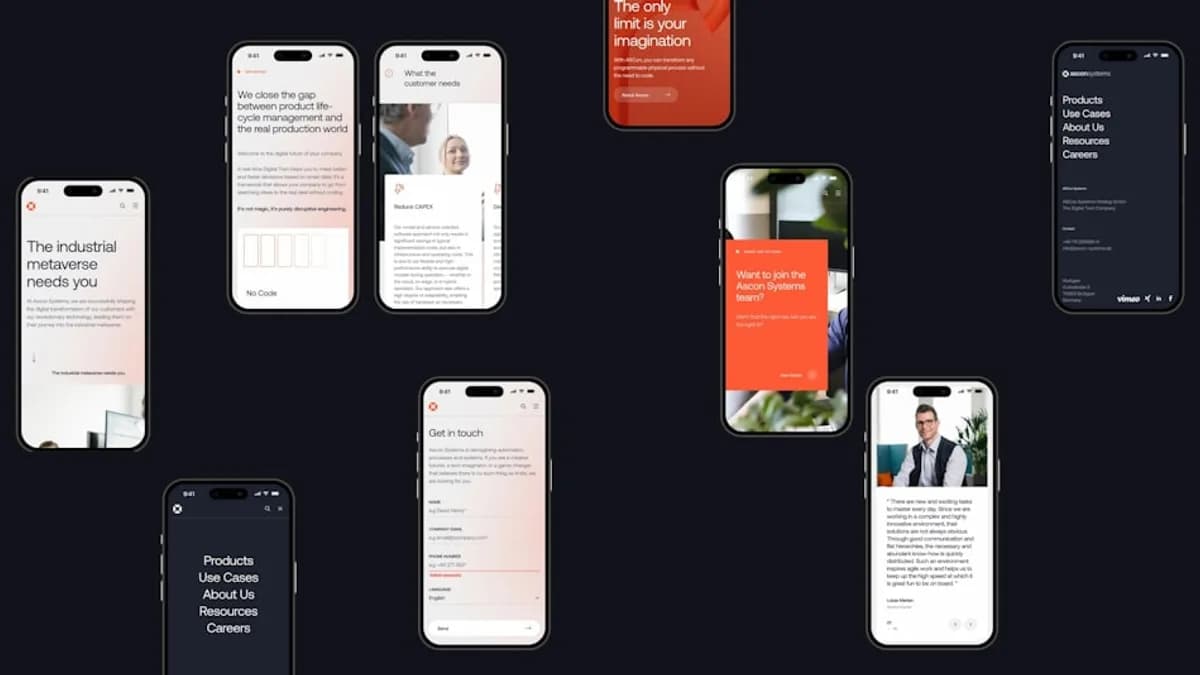
As demand for mobile apps continues its upward trajectory in 2026, businesses and developers are increasingly turning to cross platform mobile UI frameworks to streamline development. These frameworks promise cost savings, faster time-to-market, and a unified user experience across devices. But as the ecosystem matures, choosing the right tool requires careful consideration of performance, scalability, and developer workflow. This article delivers a research-backed comparison of leading frameworks—Flutter, React Native, Kotlin Multiplatform (Jetpack Compose Multiplatform), Xamarin, NativeScript, and Ionic—to help you make the best strategic choice for your next project.
Introduction to Cross-Platform Mobile UI Frameworks
Cross platform mobile UI frameworks empower developers to build applications that run seamlessly on both iOS and Android using a single codebase. Instead of duplicating effort for each platform, teams can leverage shared logic and UI components, reducing time and cost. According to the Kotlin Multiplatform documentation, shareable code is one of the key advantages that cross-platform approaches have over native app development.
“Having one single codebase means that mobile engineers can save time by avoiding the need to write code for each operating system, accelerating the development process.”
— Kotlin Multiplatform
Interest in these frameworks has grown steadily since 2010, with major players like Google, Meta, and JetBrains investing heavily in their respective technologies.
Criteria for Evaluating Framework Performance and Scalability
When assessing cross platform mobile UI frameworks, it’s essential to evaluate them on clear, actionable criteria:
Performance
- Rendering speed: How closely does the UI match native performance (e.g., frame rates, animation smoothness)?
- Resource efficiency: How much memory and CPU does the framework consume?
- Access to device APIs: Can the framework leverage native device features efficiently?
Scalability
- Codebase maintainability: Is it easy to scale and manage the code for large teams or complex projects?
- Support for modular architectures: Does the framework allow for clean separation of concerns and feature modularization?
- Production adoption: Are there real-world apps at scale demonstrating the framework’s viability?
Developer Experience
- Learning curve: How steep is the learning curve for your existing team?
- Tooling and debugging support: Are there robust tools for development, debugging, and profiling?
- Community and documentation: Is help readily available? Are best practices well-documented?
Overview of Popular Frameworks: Xamarin, Ionic, NativeScript, and Jetpack Compose Multiplatform
The cross-platform landscape has become crowded, but several frameworks consistently rise to the top:
| Framework | Main Language | Notable Use Cases | Key Strengths |
|---|---|---|---|
| Flutter | Dart | Google Pay, BMW, eBay Motors | Native-like performance, rich widgets, hot reload |
| React Native | JavaScript | Facebook, Microsoft Office | Fast Refresh, UI focus, JS ecosystem |
| Kotlin Multiplatform | Kotlin | Duolingo, Netflix, McDonald's | Native code sharing, official Google support |
| Xamarin (.NET MAUI) | C# | Enterprise, Microsoft-centric | Enterprise-ready, .NET integration |
| Ionic | JavaScript/TS | Content-driven, web-first apps | Web tech, fast prototyping, hybrid approach |
| NativeScript | JavaScript/TS | Niche, custom native modules | Access to native APIs, Angular/Vue support |
Flutter
Originating from Google, Flutter is an open-source toolkit praised for its native-like performance and visually engaging designs. It uses Dart and offers customizable widgets that can mimic native components or enable unique UIs. Flutter’s hot reload speeds up iteration, and its own rendering engine means it doesn’t rely on platform widgets or a JavaScript bridge.
React Native
Developed by Meta (formerly Facebook), React Native leverages the popular React JavaScript library to render UI using native components. Its Fast Refresh feature allows for rapid UI development, and the ecosystem benefits from the vast JavaScript/Node.js tooling landscape.
Kotlin Multiplatform (Compose Multiplatform)
Kotlin Multiplatform, supported by JetBrains and now officially by Google, allows for deep code sharing between Android and iOS. With Compose Multiplatform, you can share up to 100% of your app’s code—including UI—across mobile, web, desktop, and even server-side. It’s especially attractive for teams already invested in Kotlin.
Xamarin / .NET MAUI
Xamarin, now evolved into .NET MAUI, enables cross-platform development using C#. It’s well-suited for organizations embedded in the Microsoft ecosystem, offering robust enterprise features and integration with Azure and other .NET technologies.
Ionic
Ionic is a web-first framework that builds mobile apps using familiar web technologies—HTML, CSS, and JavaScript or TypeScript. It’s ideal for content-driven apps and rapid prototyping.
NativeScript
NativeScript allows direct access to native APIs using JavaScript or TypeScript, supporting Angular and Vue integrations. It excels in scenarios where deep native integration is required without writing platform-specific code.
Performance Benchmark Analysis Across Frameworks
Performance is a critical factor in choosing a cross platform mobile UI framework. Let’s compare the leading options based on research-backed data from LeanCode and Kotlin Multiplatform documentation:
| Framework | Rendering Engine | Compilation Approach | Performance Notes |
|---|---|---|---|
| Flutter | Custom (Skia) | Native (AOT/JIT) | Consistently smooth, 60-120 FPS on supported devices |
| React Native | Native components | JS Bridge (JIT) | Near-native UI, but JS bridge can add latency for heavy tasks |
| Kotlin Multiplatform | Native (Compose) | Native | Native performance, especially for business logic and UI |
| Xamarin / .NET MAUI | Native | Native | High performance, especially for C#-centric teams |
| Ionic | WebView | Interpreted | Performance depends on WebView; suitable for non-intensive apps |
| NativeScript | Native | Native | Good native integration, but some overhead vs. pure native |
Flutter
- High performance with native compilation: Flutter compiles directly to native code, avoiding the need for a JavaScript bridge.
- Smooth animations and UI transitions, achieving up to 120 FPS on devices that support it.
- Used in demanding apps like Google Pay and BMW’s mobile suite.
React Native
- Renders UI via native components but communicates via a JavaScript bridge.
- Some latency possible in complex logic or heavy UI updates due to the bridge, but still suitable for most business apps.
- Used by Microsoft’s Office and Meta’s Facebook app.
Kotlin Multiplatform
- Native compilation for business logic and, with Compose Multiplatform, also for UI.
- Google’s official support (as of Google I/O 2024) underlines its native-like performance and long-term viability.
- Used by Duolingo, Netflix, and McDonald’s for high-traffic apps.
Xamarin / .NET MAUI
- Compiles to native code and integrates deeply with platform APIs.
- Particularly performant for enterprise needs within the Microsoft ecosystem.
Ionic
- Runs UI inside a WebView, so performance hinges on the underlying browser engine.
- Best suited for content-driven, non-CPU-intensive apps.
NativeScript
- Direct access to native APIs, but with some overhead compared to pure native development.
- Good balance for apps needing custom native features without full native codebases.
“For the vast majority of business applications, Flutter delivers consistently smooth, responsive performance – often capable of reaching 60 or even 120 FPS on supported devices. Apps feel fluid, with transitions, gestures, and screen loads as fast as their native counterparts.”
— LeanCode
Scalability Considerations for Large-Scale Mobile Apps
As your application and user base grow, scalability becomes paramount. The frameworks differ in their support for modular architectures, large teams, and long-term maintainability.
| Framework | Code Sharing Flexibility | Modular Architecture Support | Real-World Large-Scale Apps |
|---|---|---|---|
| Flutter | Single codebase, strong | Yes (packages, plugins) | Google Pay, BMW, eBay Motors |
| React Native | High code reuse | Yes (modules, npm packages) | Microsoft Office, Facebook |
| Kotlin Multiplatform | Share as much as needed | Yes (gradual adoption) | Duolingo, Netflix, McDonald’s |
| Xamarin / .NET MAUI | .NET-centric code sharing | Yes (projects, libraries) | Enterprise, Microsoft apps |
| Ionic | Web-first, high reuse | Yes (Angular/React modules) | Content-driven apps |
| NativeScript | Native modules, high reuse | Yes (Angular/Vue support) | Niche, custom native apps |
Kotlin Multiplatform
- Lets you share up to 100% of your code (including UI with Compose Multiplatform), or only share business logic as needed.
- Enables a gradual, low-risk migration for existing Kotlin-based projects.
- Used in apps with millions of users (Duolingo, Netflix), indicating strong scalability properties.
Flutter
- Unified codebase makes it easy to scale across platforms.
- Strong plugin ecosystem for modularizing features.
- Used in enterprise and regulated environments (finance, automotive, healthcare).
React Native
- Leverages the npm ecosystem for modularity and scalability.
- Handles large codebases well, but complexity can increase for highly custom UIs.
Xamarin / .NET MAUI
- Enterprise-grade modularity via .NET projects and libraries.
- Well-suited for organizations with strong .NET investments.
“Kotlin Multiplatform can be seamlessly integrated into any project. Developers can utilize platform-specific APIs while making the most of both native and cross-platform development.”
— Kotlin Multiplatform
Developer Experience and Community Support Comparison
A great developer experience accelerates delivery and reduces bugs. Here’s how the frameworks stack up:
| Framework | Learning Curve | Tooling Highlights | Community & Support Size |
|---|---|---|---|
| Flutter | Medium (Dart) | Hot reload, Flutter DevTools | Large, >174k GitHub stars |
| React Native | Low (JS/React) | Fast Refresh, Flipper debugger | Vast, JS ecosystem |
| Kotlin MP/Compose | Low (for Kotlin devs) | JetBrains/Google IDEs, stable docs | Growing, mature community |
| Xamarin / MAUI | Medium (C#/.NET) | Visual Studio, live reload | Strong in enterprise/MSFT |
| Ionic | Low (Web) | Browser tools, rapid prototyping | Large web dev community |
| NativeScript | Medium | Angular/Vue integrations | Niche, but active |
Flutter
- Hot reload for instant code changes.
- Extensive documentation.
- Over 174,000 GitHub stars and 1,600+ contributors as of late 2025.
- Some upskilling required for Dart, especially for teams used to JavaScript or Swift.
React Native
- Low barrier for JavaScript and React teams.
- Fast Refresh for rapid UI updates.
- Integrated debugging with Flipper.
- Massive community and npm ecosystem.
Kotlin Multiplatform (Compose Multiplatform)
- Seamless for teams already using Kotlin for Android.
- Official support from JetBrains and Google, with stable documentation and growing community.
- Low risk migration for existing Kotlin projects.
Xamarin / .NET MAUI
- Familiar to C#/.NET developers.
- Deep integration with Visual Studio.
- Strong support among enterprise and Microsoft-focused teams.
Ionic
- Fast onboarding for web developers.
- Rich plugin and component ecosystem.
NativeScript
- Requires some adaptation for teams unfamiliar with Angular, Vue, or TypeScript.
- Good support for accessing native APIs.
Case Studies: Real-World Applications Using Each Framework
Examining how leading organizations use these frameworks can provide practical insight:
| Framework | Notable Apps / Companies |
|---|---|
| Flutter | Google Pay, BMW, eBay Motors, NYT |
| React Native | Facebook, Microsoft Office, Skype |
| Kotlin Multiplatform | Duolingo, Netflix, McDonald’s, Forbes |
| Xamarin / .NET MAUI | Enterprise, Microsoft apps |
| Ionic | Content-driven, rapid prototypes |
| NativeScript | Niche, native module-heavy apps |
- Flutter powers high-profile apps such as Google Ads, BMW, Toyota, New York Times, eBay Motors, and more, underscoring its production readiness for both consumer and enterprise solutions.
- React Native is the backbone of Facebook, Microsoft Office, Skype, and Xbox Game Pass, showing its scalability for large user bases.
- Kotlin Multiplatform runs in apps like Duolingo, Netflix, McDonald’s, Forbes, 9GAG, Cash App, Philips, indicating trust from some of the world’s largest companies.
- Xamarin / .NET MAUI is widely used in enterprise settings, particularly where seamless integration with Microsoft Azure and .NET services is needed.
- Ionic and NativeScript often underpin content-focused or web-first mobile solutions and apps requiring custom native integrations, respectively.
Pros and Cons Summary for Each Framework
Here’s a concise overview to help you weigh your options:
| Framework | Pros | Cons |
|---|---|---|
| Flutter | Native-like performance, rich widgets, hot reload, strong community | Requires Dart, senior devs less common, web SEO limits |
| React Native | Fast for JS/React teams, strong UI focus, vast ecosystem | JS bridge can add latency, less optimal for complex UIs |
| Kotlin MP/Compose | Native performance, deep code sharing, low-risk migration | Younger UI toolkit, smaller community than Flutter/RN |
| Xamarin / .NET MAUI | Enterprise support, C#/.NET integration, strong tooling | Less popular outside MSFT, learning curve for others |
| Ionic | Web-first, rapid prototyping, familiar tech stack | WebView limits performance for intensive apps |
| NativeScript | Direct native API access, Angular/Vue support | Niche, some performance overhead, smaller ecosystem |
“The best framework depends on performance needs, team skills, and product roadmap.”
— Evangelist Software
Recommendations Based on Project Type and Team Expertise
Selecting the ideal cross platform mobile UI framework depends on your unique context:
Flutter
- Best for: UI-heavy, visually complex, and long-lived products where performance and brand consistency matter.
- Ideal scenario: Regulated industries, large teams, or when launching across multiple platforms simultaneously.
React Native
- Best for: Teams already proficient in JavaScript/React, projects with rapid iteration cycles.
- Ideal scenario: Startups, web-to-mobile transitions, or when leveraging existing JS expertise.
Kotlin Multiplatform (Compose Multiplatform)
- Best for: Organizations with existing Kotlin/Android expertise, apps demanding native performance and flexibility.
- Ideal scenario: Gradual migration from native, complex business logic sharing, or scaling large codebases.
Xamarin / .NET MAUI
- Best for: Enterprises with a significant investment in Microsoft technologies.
- Ideal scenario: Internal business apps, scenarios requiring robust Azure/.NET integration.
Ionic
- Best for: Content-driven or web-first mobile apps, rapid prototyping.
- Ideal scenario: Teams with strong web development skills prioritizing speed over native performance.
NativeScript
- Best for: Apps needing direct native API access with a JavaScript/Angular/Vue codebase.
- Ideal scenario: Niche use cases with custom device integrations.
Conclusion and Future Trends in Cross-Platform Mobile UI Development
In 2026, the cross platform mobile UI frameworks landscape continues to evolve rapidly. With official support from technology giants (like Google’s embrace of Kotlin Multiplatform), the line between native and cross-platform performance is thinner than ever. Flutter and React Native remain dominant for general-purpose apps, but Kotlin Multiplatform is carving out a significant role in performance-critical and large-scale enterprise environments.
“There’s no one-size-fits-all tool that will be ideal for everyone. The choice of a framework largely depends on your particular project and your goals.”
— Kotlin Multiplatform
Emerging trends to watch:
- Deeper integration with native APIs while maximizing code sharing.
- Enhanced tooling and live updates for even faster iteration.
- Growing ecosystems and community-driven support, making onboarding easier.
- Increasing specialization, with some frameworks targeting specific use cases (e.g., web-first, enterprise, or performance-intensive apps).
FAQ
Q1: Which cross platform mobile UI framework offers the best performance?
According to LeanCode, Flutter delivers “consistently smooth, responsive performance—often capable of reaching 60 or even 120 FPS on supported devices.” Kotlin Multiplatform with Compose Multiplatform also offers native performance, especially for business logic and UI.
Q2: Can I share 100% of my code across platforms?
With Kotlin Multiplatform and Compose Multiplatform, you can share up to 100% of your code, including UI, or only share what makes sense for your project. Flutter also allows for near-total code sharing across mobile, web, and desktop.
Q3: What is the learning curve for these frameworks?
React Native has a low barrier for JavaScript/React teams. Flutter requires learning Dart, but its syntax is described as straightforward. Kotlin Multiplatform is especially easy for Kotlin/Android developers. Xamarin / .NET MAUI and Ionic are best for C#/.NET and web developers, respectively.
Q4: Which frameworks are used by big companies?
Flutter: Google Pay, BMW, eBay Motors
React Native: Facebook, Microsoft Office
Kotlin Multiplatform: Duolingo, Netflix, McDonald’s
Xamarin / .NET MAUI: Microsoft enterprise apps
Q5: What are the limitations of using Ionic or NativeScript?
Ionic relies on WebView, so performance may not match native for intensive apps. NativeScript offers good native integration but has a smaller ecosystem and some performance overhead.
Q6: Is there a “best” framework overall?
No. The best framework depends on your app’s performance needs, your team’s expertise, and your long-term product goals.
Bottom Line
Choosing the right cross platform mobile UI framework is a strategic decision with lasting impact on your app’s scalability, performance, and maintainability. Flutter and React Native offer robust solutions for most use cases, while Kotlin Multiplatform shines for teams prioritizing native performance and long-term scalability. Frameworks like Ionic and NativeScript serve specialized needs, while Xamarin / .NET MAUI remains a cornerstone for Microsoft-centric enterprises. Assess your project requirements carefully, leverage the strengths of each framework, and you’ll be well-positioned to deliver high-quality mobile experiences—today and in the years ahead.