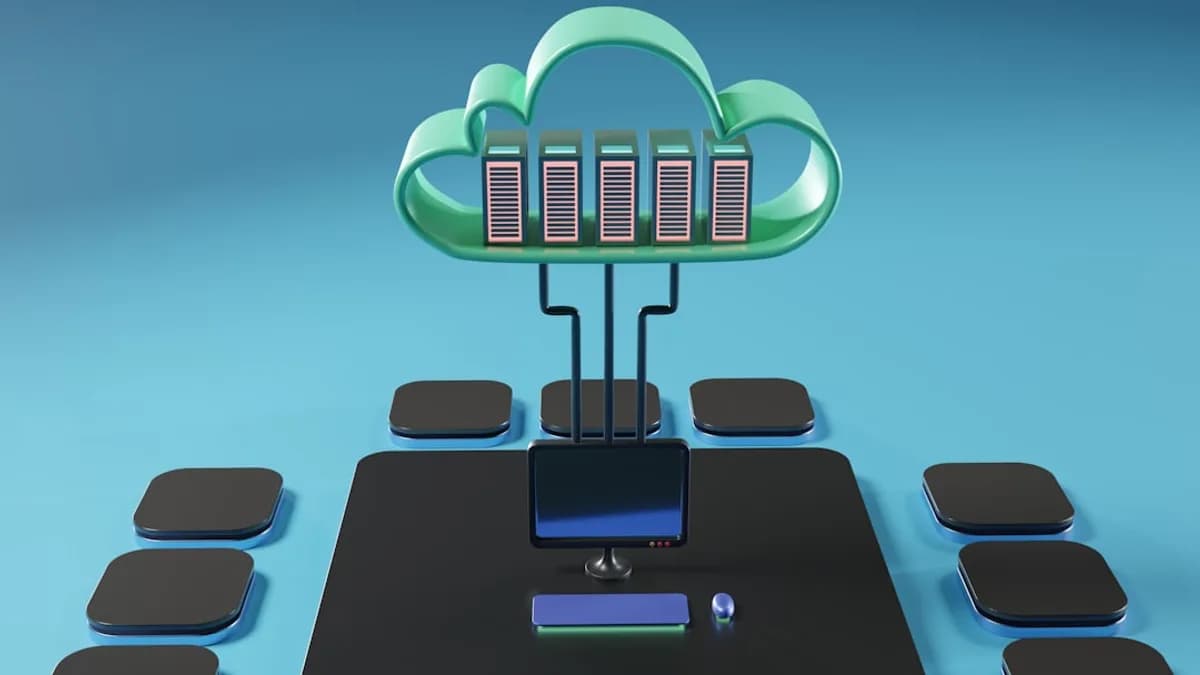
Modern enterprises face a pivotal choice when selecting project management software: cloud vs on-premise project management. As digital transformation accelerates in 2026, this decision now shapes not just IT infrastructure, but the very way teams collaborate, secure data, and scale operations. Each deployment model offers distinct advantages and trade-offs—especially for enterprises balancing global workforces, regulatory pressures, and evolving business needs.
This guide provides a detailed, research-driven comparison to help enterprise leaders navigate the complexities of cloud-based and on-premise project management solutions, grounded in the latest industry data and real-world examples.
Understanding Deployment Models in Project Management
Project management tools are the backbone of modern enterprise operations. The deployment model—how and where the software is hosted—has a profound impact on cost, security, accessibility, and scalability.
- Cloud-based project management (SaaS) is hosted by a third-party provider and accessed through a browser, offering remote access and minimal in-house IT management.
- On-premise project management software is installed on company-owned servers, giving organizations direct control over the system, data, and security.
“Cloud and on-premise systems solve the same core problems but rely on very different deployment models.”
— GoodDay Work, 2026
Choosing between these models is more than a technical decision—it's about aligning IT strategy with your company’s workflow, data sensitivity, and growth ambitions.
Defining Cloud-Based Project Management Software
Cloud-based project management software is delivered as a service (SaaS) over the internet. The application and your project data are hosted on the vendor’s servers, with access via a web browser or dedicated app.
Key Characteristics
- Accessibility: Teams can access project data from anywhere with an internet connection.
- Subscription Pricing: Costs are typically predictable and billed monthly or annually per user.
- Automatic Updates: Providers handle patches, upgrades, and security, ensuring users always have the latest features.
- Scalability: Add or remove users and features quickly as business needs change.
Leading Cloud Solutions in 2026
| Product | Notable Features | Target Use Case |
|---|---|---|
| GoodDay | Task management, Gantt charts, workload, time tracking, automation | Structured planning, affordability-focused teams |
| Asana | Task coordination, team visibility, timeline views, broad integrations | Marketing, product, operations teams |
| Monday.com | Customizable boards, cross-department workflows, automation, reporting | Visual organization, collaboration at scale |
Source: GoodDay Work, 2026
Cloud Advantages
- Remote collaboration: Supports distributed teams and hybrid work models.
- Integration: Connects with other SaaS business tools.
- Lower IT burden: No need for in-house server management or manual software updates.
Defining On-Premise Project Management Software
On-premise project management software is installed and run on the organization’s own hardware, typically within the corporate network.
Key Characteristics
- Control: Full authority over data storage, security, and system configuration.
- Customization: Deep system-level modifications possible to match internal processes.
- Self-managed Security: The company is responsible for updates, security, and backups.
- High Initial Costs: Significant upfront investment in hardware and licenses.
Leading On-Premise Solutions in 2026
| Product | Notable Features | Target Use Case |
|---|---|---|
| Microsoft Project Server | Enterprise project planning, resource scheduling, MS integration | Large orgs needing complex scheduling, IT expertise |
| OpenProject | Transparency, data ownership, classic PM features | Organizations with strict data sovereignty needs |
Source: GoodDay Work, 2026
On-Premise Advantages
- Data sovereignty: Critical for regulated industries (finance, healthcare).
- Custom workflows: Tailor the platform to unique internal requirements.
- Offline capability: Not reliant on internet for core functions.
Cost Analysis: Upfront and Ongoing Expenses
Cost is a decisive factor in the cloud vs on-premise project management debate, affecting both short-term budgets and long-term IT strategy.
| Aspect | Cloud-Based (SaaS) | On-Premise |
|---|---|---|
| Upfront | Low initial cost, subscription-based | High initial investment (hardware, licenses) |
| Ongoing | Predictable monthly/annual fees per user | Maintenance, upgrades, IT staffing |
| Scalability | Costs scale linearly with usage | Scaling may require new hardware, more licenses |
- Cloud: Subscription models (e.g., per-user, per-month) make expenses predictable. For example, Google Cloud offers a $300 welcome credit and free usage of 20+ products for new users (Google Cloud, 2026).
- On-Premise: Larger upfront spend on infrastructure, plus ongoing costs for maintenance, upgrades, and dedicated IT staff.
“Cloud-based software is the better choice if you need remote access, fast setup, and low IT overhead. On-premise software makes more sense when you handle highly sensitive data, must meet strict regulations, have a dedicated IT team, and need full control over your systems.”
— GoodDay Work, 2026
Security and Compliance Considerations
Security remains a top priority for enterprises evaluating cloud vs on-premise project management.
Cloud-Based Security
- Provider Responsibility: Vendors like Google Cloud and Microsoft 365 invest heavily in security, offering features such as encryption, automatic backups, and compliance certifications (Google Cloud, 2026).
- Shared Responsibility: While providers secure the infrastructure, customers are responsible for user management and access controls.
- Compliance: Leading providers partner with security firms (e.g., Google Cloud with Wiz) to redefine security for the AI era.
On-Premise Security
- Full Control: Enterprises manage data, security policies, and compliance directly.
- Custom Policies: Ability to implement bespoke security measures and meet industry-specific regulations.
- Maintenance Burden: IT teams must stay vigilant against threats, manage patches, and perform regular backups.
| Security Aspect | Cloud-Based PM | On-Premise PM |
|---|---|---|
| Data control | Vendor managed, strong encryption | Full enterprise control |
| Compliance | Provider certifications, shared | Full compliance responsibility |
| Updates/Patching | Automatic by provider | Manual by IT team |
| Data residency | May vary by vendor/location | Defined by company infrastructure |
“On-premise software makes more sense when you handle highly sensitive data, must meet strict regulations, have a dedicated IT team, and need full control over your systems.”
— GoodDay Work, 2026
Customization and Integration Capabilities
Cloud-Based: Configurability and Ecosystem
- Configuration: Most cloud PM tools offer robust settings, workflow automation, and integration with third-party apps.
- Limitations: Deep system-level customizations (e.g., database schema changes) are often restricted to maintain platform stability.
- Ecosystem: Tools like Asana and Monday.com integrate with hundreds of other SaaS products to streamline workflows.
On-Premise: Deep Customization
- System-Level Modifications: Full access to the underlying software and database allows for extensive customization.
- API and Integration: Greater control for building custom integrations or proprietary extensions.
| Capability | Cloud-Based PM | On-Premise PM |
|---|---|---|
| Workflow config | High | High |
| Deep customization | Limited | Extensive |
| Third-party integration | Broad (via APIs) | Custom, sometimes complex |
| Upgrade risk | Minimal (auto-managed) | Higher (custom code may break) |
Performance and Accessibility Factors
Cloud-Based
- Anywhere Access: Use from any device with internet (desktop, mobile, tablet).
- Mobile Support: Vendors like Microsoft OneDrive and Google Cloud offer seamless mobile access and backup (OneDrive, 2026).
- Performance: Dependent on internet speed and provider’s server uptime.
On-Premise
- Network Dependency: Typically accessed via internal networks; remote access possible but requires VPN or special configuration.
- Performance Control: Less affected by external internet disruptions; relies on internal network health and server capacity.
| Factor | Cloud-Based PM | On-Premise PM |
|---|---|---|
| Device support | Universal (browser, mobile apps) | Primarily internal devices |
| Offline access | Limited/offline modes possible | Full offline access (local network) |
| Remote teams | Designed for distributed work | Complex, requires extra setup |
Scalability and Maintenance Requirements
Cloud-Based
- Elastic Scalability: Instantly add/remove users or features. Ideal for fluctuating project sizes.
- Automatic Maintenance: Updates, patches, and backups handled by provider—minimal IT involvement.
On-Premise
- Physical Constraints: Scaling may require purchasing new hardware, licenses, and network upgrades.
- Manual Maintenance: IT team manages all updates, backups, and system health.
| Aspect | Cloud-Based PM | On-Premise PM |
|---|---|---|
| User scaling | Instant, flexible | Slower, hardware-dependent |
| Feature scaling | Via subscription | Often requires new installation |
| Maintenance | Provider-managed | In-house IT responsibility |
“Users and features can be added or removed quickly. Suitable for growing teams. Scaling [on-premise] often requires new hardware and licenses.”
— GoodDay Work, 2026
Case Studies: Enterprise Use Cases for Each Model
Cloud-Based Project Management in Action
Example: GoodDay for Distributed Teams
A global marketing firm adopts GoodDay’s cloud-based platform to unify task management and automate reporting across offices in three continents. The SaaS model allows instant onboarding, real-time collaboration, and seamless integration with other cloud tools—enabling remote work without IT bottlenecks.
Key Outcomes:
- Reduced IT workload by 30%
- Enabled real-time updates for 200+ users
- Scaled to new offices without additional hardware
On-Premise Project Management in Action
Example: Microsoft Project Server for Regulated Industries
A financial institution deploys Microsoft Project Server on-premise to comply with strict data residency and security regulations. The IT team customizes workflows to mirror proprietary approval processes, ensuring sensitive data never leaves the corporate firewall.
Key Outcomes:
- Achieved compliance with sector-specific regulations
- Customized system for unique internal processes
- Maintained full control over data and update cycles
Decision-Making Framework for Enterprises
Choosing between cloud vs on-premise project management requires a structured, evidence-based approach.
Step-by-Step Evaluation
Assess Security and Compliance Needs
- Is your data subject to industry regulations?
- Do you need full control over data storage and access?
Evaluate Remote Work and Collaboration Requirements
- Is your workforce distributed or fully in-office?
- Do you require easy access from multiple devices/locations?
Analyze Total Cost of Ownership
- Can your budget accommodate high upfront spend (on-premise)?
- Would predictable subscription costs (cloud) be preferable?
Consider Customization Demands
- Do you need deep system-level modifications?
- Will off-the-shelf configurations suffice?
Review IT Resources and Scalability Goals
- Do you have a dedicated IT team for ongoing maintenance?
- Is rapid scaling (users, features) a priority?
Test and Pilot Solutions
- Take advantage of free trials or credits (e.g., Google Cloud’s $300 credit) to evaluate fit.
“The answer lies in understanding our unique needs, from security requirements to scalability goals. As we explore these options, we’ll uncover how each can align with our strategic objectives and operational demands.”
— Online Tool Guides, 2026
FAQ: Cloud vs On-Premise Project Management
Q1: What is the main difference between cloud and on-premise project management software?
A: Cloud PM software is hosted online and accessed via web browser (SaaS), while on-premise is installed on company servers and managed internally. (GoodDay Work, 2026)
Q2: Which model is more cost-effective for enterprises?
A: Cloud solutions offer lower upfront costs and predictable subscriptions; on-premise requires higher initial investment but may suit organizations with existing infrastructure and IT teams. (GoodDay Work, 2026)
Q3: Is cloud-based project management secure?
A: Major cloud vendors provide strong security measures, including data encryption and automatic backups; however, sensitive industries may prefer on-premise for maximum data control. (Google Cloud, 2026)
Q4: Can on-premise systems be accessed remotely?
A: Yes, but remote access usually requires additional configuration, such as VPNs, and may not be as seamless as cloud solutions. (GoodDay Work, 2026)
Q5: Which platforms are leading in 2026?
A: Top cloud solutions include GoodDay, Asana, and Monday.com; leading on-premise tools include Microsoft Project Server and OpenProject. (GoodDay Work, 2026)
Q6: What about hybrid or integration approaches?
A: Some enterprises mix cloud and on-premise tools to leverage strengths of both models, though this requires careful integration planning. (Online Tool Guides, 2026)
Bottom Line
When comparing cloud vs on-premise project management for enterprises in 2026, the right choice hinges on your organization’s unique blend of security, customization, budget, and collaboration needs.
- Cloud-based solutions like GoodDay, Asana, and Monday.com excel in flexibility, remote work support, and cost predictability—making them ideal for distributed and fast-growing teams.
- On-premise solutions such as Microsoft Project Server and OpenProject offer full data control, deep customization, and are favored by organizations with strict compliance or proprietary processes.
Ultimately, no one-size-fits-all answer exists. Enterprises should assess their regulatory environment, IT resources, and strategic goals—using trials and pilots to validate assumptions. As industry trends continue to shift toward the cloud, hybrid models may also emerge as a compelling middle ground. For 2026 and beyond, the deployment model you choose will define not just your project management workflow, but your enterprise’s adaptability and resilience in a rapidly evolving business landscape.