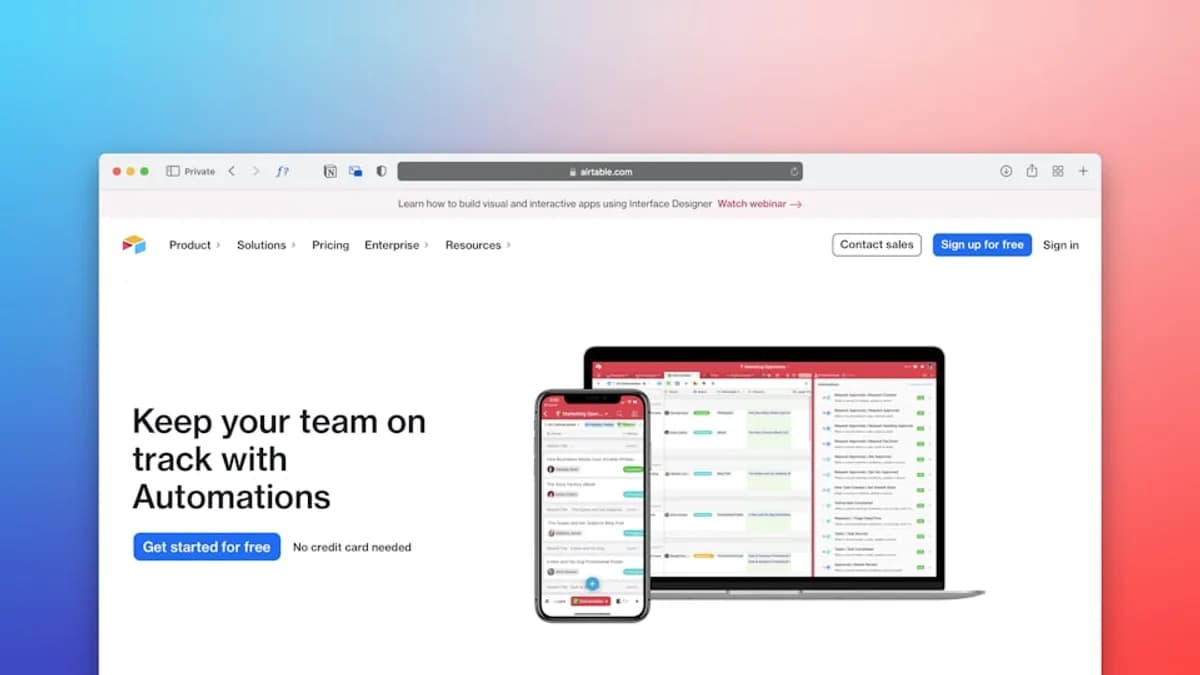
In the rapidly evolving business landscape of 2026, small to medium businesses (SMBs) are under intense pressure to deliver more value with fewer resources. Automation—especially through APIs—has become a cornerstone for boosting operational efficiency, reducing manual workloads, and maintaining competitiveness. However, finding cost effective API automation strategies that align with tight budgets and limited technical resources remains a significant challenge. This comprehensive guide explores actionable approaches, real-world tool options, and practical integration techniques for SMBs seeking maximum automation ROI without breaking the bank.
The Importance of Automation for SMBs
Automation is no longer a luxury reserved for large enterprises. For SMBs, API-driven automation is a catalyst for:
- Reducing repetitive manual tasks: Freeing up staff to focus on higher-value activities.
- Ensuring consistent and reliable operations: Minimizing human error and operational delays.
- Scaling business processes efficiently: Handling increased workloads without proportional increases in staffing costs.
“Test automation is expensive at an earlier stage but it is cost-effective in the long run if your QA team is adept at analyzing budget thoroughly and acting accordingly.”
— QattsTestingTool/QATTS
The key is not just to automate, but to do so cost-effectively—maximizing the benefits while keeping expenses tightly controlled.
Common Cost Challenges in API Automation
SMBs eyeing automation often encounter a series of cost-related obstacles:
- Rising API usage costs: Especially with AI-enabled APIs, usage-based billing can skyrocket as requests scale. For example, fintech chatbots have been reported to accrue $400/day per enterprise client (Promptick.ai source).
- Complex pricing models: Vendors may use pay-per-call, tiered usage, or subscription-plus-usage models, each with unique budgeting considerations (InvestGlass).
- Hidden costs: Data transfer fees, management API calls, and log storage can erode savings if not carefully monitored (Hokstad Consulting).
- Technical debt: Inefficient API usage—such as redundant calls or poorly optimized workflows—can inflate costs by up to 32% during scaling (Hokstad Consulting).
- Tool and training investments: Licensing fees, support, and the need for skilled personnel can increase upfront costs, though these often pay off over time (QattsTestingTool/QATTS).
The challenge is to balance automation ambition with rigorous cost control.
Evaluating Low-Cost vs. High-End Automation Tools
Choosing between open-source, commercial, and custom frameworks directly impacts both capability and cost.
| Tool Type | Upfront Cost | Ongoing Cost | Support | Flexibility | Best For |
|---|---|---|---|---|---|
| Open-source | Low/Free | Minimal (community-driven) | Community forums | High (customizable) | Technical teams with programming skills |
| Commercial | High (license) | Fees for support/upgrades | Official channels | Moderate/High | Businesses needing reliability and support |
| Custom Framework | Variable/High | Maintenance, skilled staff | Internal/external | Very high (tailored) | Niche scenarios with unique requirements |
Key considerations:
- Open-source automation tools: Ideal for SMBs with technical talent. Examples include Selenium, Katalon Studio, SoapUI, Appium, and Cucumber (QattsTestingTool/QATTS). No licensing fees, but require ability to write and maintain code.
- Commercial automation tools: Provide more features, security, and professional support, but at a cost. Users are charged per license or by usage. Best suited for teams that need robust support and minimal setup.
- Custom frameworks: Offer the ultimate flexibility but involve significant complexity and higher costs. Only consider if off-the-shelf solutions cannot meet your needs.
“Test automation is affordable in the long haul when compared to manual testing.”
— QattsTestingTool/QATTS
Tool Evaluation Criteria
- Necessity: Does your workflow truly require automation, or can manual processes suffice for now?
- Team skills: Does your staff have the necessary programming and tool expertise?
- Integration needs: Can the tool integrate with your CI/CD and reporting systems?
- Affordability: Factor in all costs—license, support, training, and upgrades.
Leveraging Open Source and Freemium API Platforms
Open-source and freemium solutions empower SMBs to automate without heavy financial commitment. Here’s how they stack up:
| Platform/Tool | Cost Structure | Features Highlighted in Sources | Ideal Use Case |
|---|---|---|---|
| Selenium, Katalon, etc. | Free (open-source) | Customizable, community support, coding required | Tech-savvy teams, complex test automation |
| QATTS | Pay per test case | Cloud-based, API/web/mobile/DB testing, low-code, real-time insights | SMBs wanting affordable, managed automation |
| TAaaS (by QATTS) | Service-based | QA experts, frameworks, tools, charged by test case | SMBs preferring expert-led, hands-off approach |
Benefits:
- No/low licensing costs: Pay only for what you use (e.g., QATTS charges per test case).
- Scalable: Start small and expand as needed.
- Community-driven improvements: Open-source tools evolve quickly with user feedback.
Limitations:
- Technical barrier: Open-source requires in-house programming skills.
- Support: Commercial tools offer more structured support than open-source.
“If you use an open-source automation tool...you must have the ability to write and execute test scripts. Of course, there are codeless automation testing solutions that have rolled out into the market for those who have a limited IT background.”
— QattsTestingTool/QATTS
Designing Lightweight Automation Workflows
Efficiency is critical for cost-effective API automation. Consider these proven strategies:
Optimize API and AI Model Usage
- Right-size API models: Use smaller, specialized APIs or models for narrow tasks rather than defaulting to the most advanced (and expensive) option (Promptick.ai).
- Prompt engineering: For AI APIs, crafting concise, efficient prompts can directly reduce token and cost usage.
- Batch and asynchronous processing: Combine multiple requests into batches or process them asynchronously to cut down on API calls and leverage lower-cost compute (Promptick.ai).
Reduce Redundancy and Waste
- Caching: Store and reuse responses for similar queries to avoid repeated calls (InvestGlass).
- Deduplication: Filter out duplicate requests before hitting the API.
- Semantic caching: For AI-driven workflows, reuse LLM responses for semantically similar queries, further reducing token consumption (InvestGlass).
Smart Scaling Tactics
- Vertical and horizontal scaling: Add resources only as needed; avoid over-provisioning, which can inflate costs by up to 32% (Hokstad Consulting).
- Serverless architectures: Pay only for the compute you use, reducing idle resource costs.
- Smaller API payloads: Optimize data sizes to decrease transfer and compute costs.
“Use serverless architectures, caching, and smaller API payloads to cut costs by up to 70%.”
— Hokstad Consulting
Integrating APIs Without Extensive Development Resources
Many SMBs lack deep in-house development teams. Here’s how to integrate APIs effectively with minimal technical overhead:
Use Low-Code and Managed Automation Platforms
- QATTS: Offers a low-code interface, multi-branch support, and cloud-based test execution. Charges are based on the number of test cases, making it accessible for SMBs (QattsTestingTool/QATTS).
- TAaaS (Test Automation as a Service): QATTS’ service includes frameworks, expert QA personnel, and managed tool deployment. This minimizes hiring costs and technical requirements.
Practical Integration Tips
- Choose tools with strong CI/CD integration: Ensures automation fits into your deployment pipeline without custom code.
- Select platforms with built-in reporting and monitoring: Reduces the need for separate analytics or logging setups.
- Prioritize solutions with community or vendor support: Particularly important if your team lacks deep technical expertise.
“It’s easy to use interface lets you create, modify, and run test suites...With this cloud-based software, you can get improved test coverage and ROI.”
— QattsTestingTool/QATTS
Measuring ROI and Cost Savings from Automation
Calculating the return on your automation investment is critical for SMBs:
- Operational cost reduction: AI solutions can lead to 30–40% cost reduction in operations within 18–24 months of implementation (Promptick.ai).
- Tool ROI: Automation testing, though expensive at first, is more cost-effective than manual testing in the long run if properly managed (QattsTestingTool/QATTS).
- API scaling savings: Optimizing API scaling (e.g., via serverless, caching, and payload reduction) can cut costs by up to 70% (Hokstad Consulting).
- AI model cost drops: OpenAI’s GPT-4o is 83% cheaper than GPT-4 at launch, illustrating the importance of selecting current, efficient APIs (Promptick.ai).
| Metric | Potential Savings | Source |
|---|---|---|
| Operations (AI automation) | 30–40% within 18–24 months | Promptick.ai |
| API scaling optimization | Up to 70% | Hokstad Consulting |
| AI model cost (GPT-4o) | 83% vs. prior models | Promptick.ai |
“Promptick facilitates intelligent routing, ensuring your requests are sent to the most cost-effective and performant model for each specific task...delivers 40–58% cost reductions.”
— Promptick.ai
To maximize ROI:
- Continually monitor API usage and spend.
- Benchmark different models or vendors.
- Adjust your automation workflows as new cost-saving features or tools emerge.
Case Studies: SMBs Successfully Implementing Cost-Effective Automation
While the sources do not provide detailed company case studies, they do reference real-world outcomes and strategies:
- Fintech Chatbots: Businesses leveraging AI APIs for customer support saw daily costs reach $400 per enterprise client. By optimizing prompts, batching requests, and implementing caching, such costs can be dramatically reduced (Promptick.ai).
- Enterprises with High AI API Usage: Aggressive compute optimization strategies led to up to 280x cost reductions in enterprise deployments (Promptick.ai).
- Testing Teams using QATTS: SMBs needing rapid, low-code automation across API, web, and mobile testing have achieved improved test coverage and ROI by paying only for the number of test cases run—minimizing both setup and operational costs (QattsTestingTool/QATTS).
- Organizations Scaling APIs: By adopting serverless architectures and right-sizing API instances, some companies have achieved up to 70% lower costs compared to poorly optimized setups (Hokstad Consulting).
“Test Automation as a Service (TAaaS) is a service offered by Qatts...This service is affordable. It minimizes hiring costs and you will be charged based on the number of test cases you require.”
— QattsTestingTool/QATTS
Tips for Scaling Automation as Your Business Grows
As your business and API usage scale, keep costs predictable and manageable with these approaches:
- Adopt elastic cloud resources: Choose vendors with strong auto-scaling and elasticity to pay only for what you use (Hokstad Consulting).
- Blend pricing models: Combine reserved instances for steady workloads with pay-as-you-go or spot instances for peaks to maximize savings.
- Leverage volume discounts: Negotiate with API vendors as your usage grows. Promptick.ai notes that OpenAI offers 12-18% discounts above 5 million tokens/month.
- Monitor and optimize constantly: Use cost management tools for real-time tracking, forecasting, and alerts.
- Prevent vendor lock-in: Use model-agnostic designs so you can switch providers as prices or features change (Promptick.ai).
- Fine-tune smaller models: For AI-driven automation, fine-tune and deploy smaller, open-source models for specific tasks.
| Scaling Strategy | Benefit | Source |
|---|---|---|
| Elasticity & auto-scaling | Only pay for what you use | Hokstad Consulting |
| Blended pricing | Savings + flexibility | Hokstad Consulting |
| Volume discounts | Lower unit costs at scale | Promptick.ai |
| Cost management tools | Prevent surprise overruns | Hokstad Consulting |
| Model-agnostic/multi-vendor | Negotiation leverage, resilience | Promptick.ai |
Conclusion: Balancing Cost and Efficiency in API Automation
Cost effective API automation strategies are within reach for SMBs in 2026. The most successful approaches blend:
- Careful tool selection: Open-source, commercial, or managed services like QATTS or TAaaS, each matched to your technical and budget realities.
- Workflow optimization: Smart prompt engineering, batching, caching, and scaling tactics minimize API usage costs.
- Continuous monitoring: Real-time tracking and regular vendor benchmarking ensure ongoing value.
- Strategic scaling: Elastic resources and negotiated discounts keep automation cost-effective as your business expands.
“By adopting proven strategies such as optimizing model usage, leveraging compute optimization, and engaging in strategic vendor management, organizations can significantly reduce their API expenditure.”
— Promptick.ai
The bottom line: For SMBs, the path to affordable, scalable API automation lies in smart planning, judicious tool choice, and relentless optimization—allowing you to automate more for less in 2026 and beyond.
FAQ: Cost Effective API Automation Strategies
Q1: What is the most affordable way to start API automation for SMBs?
A: Open-source tools (like Selenium, Katalon Studio, or SoapUI) are free but require programming skills. Managed services like QATTS or TAaaS offer low-code interfaces and charge based on usage (e.g., per test case), making them accessible for SMBs with limited technical resources (QattsTestingTool/QATTS).
Q2: How can I reduce the costs of using AI APIs?
A: Optimize model selection (use smaller, task-specific models), engineer concise prompts, batch requests, and implement caching/deduplication. Tools like Promptick.ai can automate intelligent model selection and routing, reportedly reducing costs by 40–58% (Promptick.ai).
Q3: What cloud vendor pricing models are best for variable API workloads?
A: Pay-as-you-go offers flexibility for unpredictable workloads, while reserved or spot instances provide savings for steady or fault-tolerant tasks. Blending these models is often most cost-efficient (Hokstad Consulting).
Q4: Do low-code or codeless automation tools really save money?
A: Yes, especially for SMBs lacking deep technical teams. Tools like QATTS provide low-code solutions, reducing the need for expensive development staff and minimizing learning curves (QattsTestingTool/QATTS).
Q5: How do I ensure automation remains cost-effective as my business grows?
A: Monitor usage in real time, leverage volume discounts, design for vendor flexibility, and continually optimize workflows and API calls with tools that provide analytics and cost controls (Promptick.ai, Hokstad Consulting).
Q6: What are the hidden costs to watch out for in API automation?
A: Data transfer (egress), management API calls, log storage, and over-provisioned resources can all add unexpected expenses. Use detailed cost management tools and monitor for these regularly (Hokstad Consulting).
Bottom Line
Cost effective API automation strategies for SMBs in 2026 hinge on leveraging open-source and affordable managed tools, optimizing every step of your workflow, and maintaining a vigilant, data-driven approach to scaling and integration. By combining these evidence-backed techniques, SMBs can automate confidently, boost their ROI, and remain agile in an increasingly competitive digital economy—all without overspending on technology.